Let me guess: you’ve parked your RV at what looked like a promising campground, opened your laptop, and watched that WiFi signal bar mock you with a single, pathetic dot. I’ve been there more times than I care to admit. The good news? A proper RV WiFi booster setup can transform your connectivity nightmare into a reliable internet connection that actually works. After spending over a decade testing every mobile internet solution on the market, I’m going to walk you through exactly how to set up a WiFi booster system that delivers results—no marketing fluff, just the technical reality of what works on the road.
The problem isn’t just annoying; it’s genuinely limiting. You can’t work remotely, kids can’t stream educational content, and forget about video calls with family. The agitation kicks in when you realize you’re paying $40-60 per night for a campsite that advertises “Free WiFi” but delivers speeds that would embarrass a 1990s dial-up connection. The solution? Understanding the RV WiFi booster setup process and implementing a system that reaches farther, captures weaker signals, and amplifies them into usable bandwidth.
Table of Contents
- What Exactly Is an RV WiFi Booster?
- Choosing the Right System for Your Needs
- The Installation Process: Step-by-Step
- Antenna Placement: The Make-or-Break Factor
- Configuration and Optimization Tips
- Common Setup Mistakes That Kill Performance
- When WiFi Boosters Aren’t Enough
- Frequently Asked Questions
- My Top Recommended Gear
What Exactly Is an RV WiFi Booster?
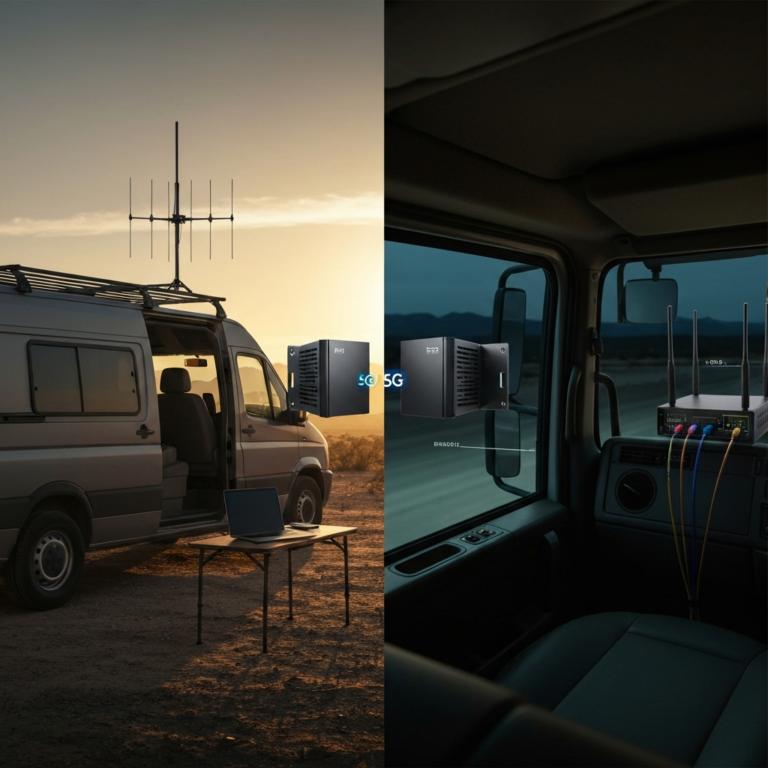
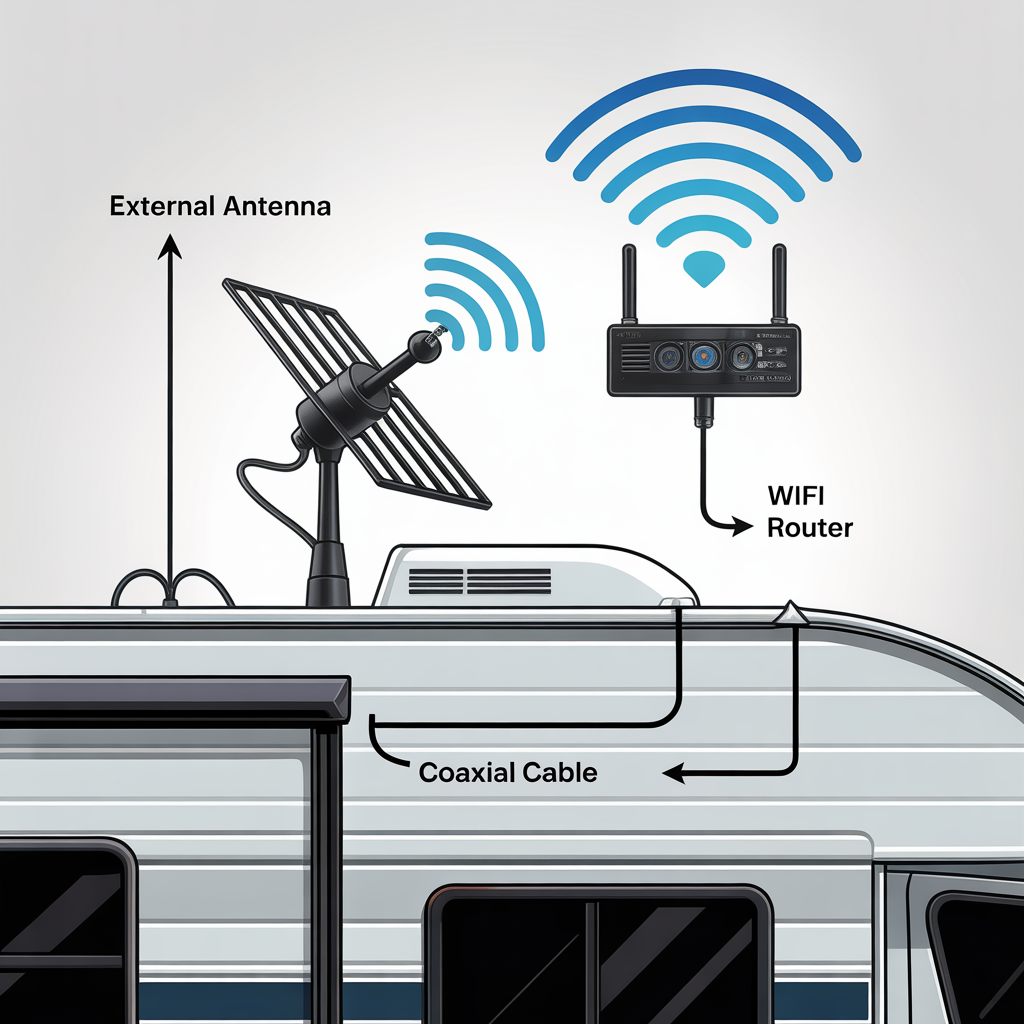
An RV WiFi booster is a two-part system consisting of an external antenna that captures distant WiFi signals and an internal router or repeater that broadcasts that signal inside your RV. The external antenna reaches signals that your laptop or phone could never detect on their own, while the indoor component creates a local network your devices can actually connect to.
Here’s what most people misunderstand: a WiFi booster doesn’t magically create internet out of thin air. It captures existing signals—from campground routers, businesses, or public hotspots—and makes them accessible. If there’s genuinely no WiFi source within range, a booster can’t help you. That’s when you need mobile internet solutions instead.
The technology differs significantly from cellular boosters. According to the FCC’s guidelines on signal boosters, WiFi boosters operate on the 2.4GHz and 5GHz WiFi bands, while cellular boosters amplify signals from cell towers on completely different frequency ranges. You’re dealing with WiFi protocol limitations, not cellular network constraints.
Choosing the Right System for Your Needs
I’ve tested dozens of systems, and the market breaks down into three categories: budget units ($150-250), mid-range professional systems ($300-500), and premium solutions ($500+). Your choice depends on how you actually use your RV.
Weekend warriors who camp at established RV parks with decent WiFi infrastructure can get away with budget systems. These typically feature omnidirectional antennas with moderate gain (5-7 dBi) and basic indoor routers. They’ll extend your reach by a few hundred feet—enough to grab the campground signal from a back-row site.
Full-time RVers or remote workers need mid-range to premium systems. I’m talking directional antennas with 10+ dBi gain, professional-grade routers with advanced QoS (Quality of Service) settings, and weatherproof construction that survives extreme conditions. The difference in real-world performance justifies the cost if your livelihood depends on connectivity.
The specs that actually matter: antenna gain (measured in dBi), antenna type (omnidirectional vs. directional), indoor router capabilities (dual-band support, number of devices), and cable quality. Many manufacturers inflate their range claims—I’ve seen “mile+” promises from systems that struggle beyond 800 feet in real conditions.
For comprehensive context on how WiFi boosters fit into your overall RV connectivity strategy, check out this complete connectivity guide.
The Installation Process: Step-by-Step
Here’s the honest truth: most RV WiFi booster installations take 1-3 hours for someone with basic DIY skills. You don’t need to be an electrician, but you do need patience and attention to detail.
Step 1: Mount the External Antenna
I mount mine on the RV roof using either permanent brackets (if you own) or temporary magnetic mounts (if you’re renting or want flexibility). The goal is maximum height with minimal obstructions. Avoid mounting near metal vents, AC units, or satellite dishes that create interference or signal shadows.
Step 2: Run the Cable
This is where most people screw up. You need to route the coaxial cable from the external antenna to your indoor router without creating excessive bends (which degrade signal) or compromising your RV’s weather seal. I use existing cable entry points when possible—the same routes used for satellite or antenna cables. If you must drill, use proper grommets and sealant rated for RV applications.
Step 3: Connect the Indoor Components
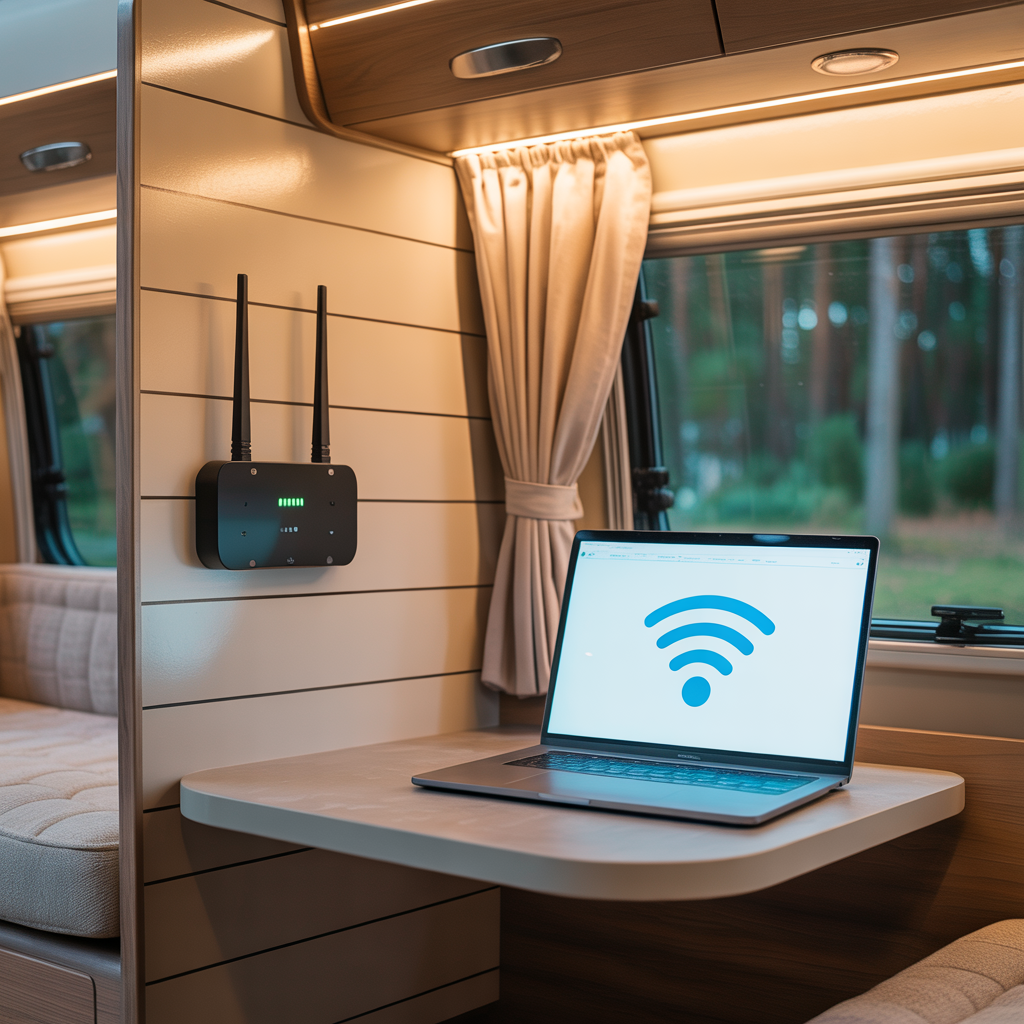
Attach the cable to your indoor router or repeater unit. Most systems use standard connectors, but verify compatibility before you’re halfway through installation. Position the indoor unit centrally in your RV for even coverage—typically near the kitchen or living area works best.
Step 4: Power Everything Up
Connect to 12V DC power (preferred for boondocking) or 110V AC shore power. Quality systems offer both options. I always verify voltage stability with a multimeter before connecting expensive electronics to questionable campground power.

Antenna Placement: The Make-or-Break Factor
Antenna placement determines 70% of your system’s performance. I’ve seen identical boosters deliver wildly different results based solely on mounting location.
Height matters more than most people realize. Every foot of elevation extends your line-of-sight range. That’s why I always mount as high as structurally safe—typically the roof’s highest point. Physics doesn’t negotiate: WiFi signals travel in relatively straight lines and struggle to penetrate obstacles.
Directional vs. omnidirectional antennas require different strategies. Omnidirectional antennas receive signals from all directions, making them convenient for campgrounds where the router location varies. Directional antennas (like Yagi designs) focus on a specific direction, offering longer range but requiring manual aiming. I use directional antennas when parked long-term and omnidirectional for frequent moves.
The University of California’s research on wireless signal propagation confirms what I’ve experienced: obstructions between your antenna and the source degrade signal exponentially. Trees, buildings, and even your RV’s own structure create “shadow zones” where signal strength drops dramatically.
Pro tip: I carry a smartphone app like WiFi Analyzer to identify the strongest signal direction before finalizing antenna placement. Five minutes of testing saves hours of frustration.
Configuration and Optimization Tips
Installing hardware is only half the battle. Proper configuration transforms a mediocre system into a reliable workhorse.
Start by accessing your router’s admin interface (usually via browser at 192.168.1.1 or similar). Change the default password immediately—campground WiFi networks are semi-public environments where security matters. I’ve seen too many RVers get their connections hijacked because they left factory credentials in place.
Configure your SSID (network name) and password for your internal network. This creates separation between the campground’s WiFi (which your booster captures) and your personal network (which your devices connect to). That isolation layer provides both security and performance benefits.
Enable QoS settings if your router supports them. This prioritizes bandwidth for critical applications like video calls over less time-sensitive tasks like downloads. When working with limited campground bandwidth, QoS prevents one device from monopolizing the connection.
Adjust the WiFi channel selection. Most routers default to auto-channel selection, but in crowded campgrounds, manually selecting the least congested channel dramatically improves performance. I use WiFi analyzer apps to identify which channels have minimal interference, then lock my router to that channel.
For folks serious about mobile internet for RV life, combining a WiFi booster with cellular backup creates redundancy. When campground WiFi fails, you’re not dead in the water. I detail this approach in my connectivity troubleshooting guide.
Expert Commentary: This video demonstrates professional-grade installation techniques that prevent the most common setup errors I see RVers make.
Common Setup Mistakes That Kill Performance
Let me save you the headaches I’ve endured over the years. These mistakes account for 90% of “my booster doesn’t work” complaints I hear.
Mistake #1: Cheap Cables
Low-quality coaxial cables introduce signal loss that negates your booster’s benefits. I use cables rated for outdoor RV use with proper shielding. The $15 you save on a bargain cable costs you 30% of your signal strength. Do the math—it’s not worth it.
Mistake #2: Indoor Antenna Placement
Some people try mounting antennas inside their RV to avoid roof installation. This reduces range by 60-80% because your RV’s metal skin blocks signals. The whole point of a booster is capturing distant signals—you can’t do that from inside a Faraday cage.
Mistake #3: Ignoring Grounding
Proper grounding protects your equipment from lightning and static discharge. I’ve replaced expensive routers that died because owners skipped this step. Follow manufacturer grounding specifications, especially if you camp in areas prone to thunderstorms.
Mistake #4: Expecting Miracles
A booster can’t deliver fiber-optic speeds from a campground running a 5 Mbps DSL connection shared among 200 sites. Manage your expectations. Boosters extend range and improve reliability—they don’t multiply bandwidth that doesn’t exist.
Mistake #5: Set-It-and-Forget-It Mentality
Each location requires slight adjustment. I spend 5 minutes optimizing when I arrive at a new campground: checking signal strength, adjusting directional antennas, and verifying connection quality. That small investment prevents connectivity problems later.
When WiFi Boosters Aren’t Enough
Real talk: WiFi boosters have limitations. They’re one tool in your RV travel tech arsenal, not a universal solution.
Remote locations without existing WiFi sources make boosters useless. If you’re boondocking in national forests or genuinely remote areas, you need cellular-based internet instead. I run a hybrid setup: WiFi booster for campgrounds and a cellular system for everywhere else. The redundancy keeps me connected in 95% of locations.
High-bandwidth users (4K streaming, large file uploads, multiple simultaneous video calls) often exceed what shared campground WiFi can deliver, even with a booster. In these scenarios, dedicated cellular plans with unlimited or high-cap data make more sense. Check out my thoughts on comprehensive RV internet strategies that combine multiple technologies.
IMO, the sweet spot is treating WiFi boosters as your primary connection method with cellular as backup. This approach balances cost, performance, and reliability better than relying on a single technology.
Security-conscious users should also consider VPN integration. Campground WiFi networks are inherently insecure—you’re sharing network infrastructure with strangers. I run a VPN on my router to encrypt all traffic before it leaves my RV. This adds slight latency but provides essential privacy protection.
Frequently Asked Questions
What is the difference between a WiFi booster and a cellular booster for RVs?
A WiFi booster amplifies existing WiFi signals from campgrounds or public hotspots, while a cellular booster strengthens mobile data signals from cell towers. WiFi boosters work with existing networks; cellular boosters enhance your own data connection. They serve different purposes and many RVers use both for comprehensive coverage.
Do I need professional installation for an RV WiFi booster?
Most RV WiFi boosters are designed for DIY installation. You’ll typically mount an external antenna, run a cable into your RV, and connect to an indoor router or repeater. Basic tools and 1-2 hours are usually sufficient. Professional installation makes sense only for complex custom setups or if you’re uncomfortable working on your RV’s roof.
Can an RV WiFi booster work while driving?
WiFi boosters are designed for stationary use at campgrounds or parking areas. For internet while driving, you’ll need a cellular-based solution like a mobile hotspot or cellular booster instead. The exception is briefly maintaining a connection as you slowly reposition within a campground, but this isn’t reliable for highway speeds.
How far can an RV WiFi booster reach?
Quality RV WiFi boosters can capture signals from 500 feet to over a mile away, depending on the antenna strength, terrain, and source signal quality. Directional antennas typically offer longer range than omnidirectional models. Real-world performance varies significantly—obstacles like buildings and trees reduce effective range dramatically.
My Top Recommended Gear
After testing countless systems, here are the specific products I trust for different use cases:
1. Premium Pick: WiFiRanger Package
For full-timers and remote workers who need reliability. Professional-grade components with excellent range and configuration options.
Check Current Price on Amazon
2. Best Value: Alfa WiFi Camp Pro
Solid mid-range performance at a reasonable price point. Great for weekend warriors and regular RVers who want reliable connectivity without breaking the bank.
Check Current Price on Amazon
3. Budget Option: Winegard WiFi Extender
Entry-level system that delivers decent performance for occasional use. Perfect for testing whether a booster meets your needs before investing in premium equipment.
Check Current Price on Amazon
Each of these systems has earned its place through real-world testing across different camping scenarios. Your ideal choice depends on how often you travel, where you camp, and how much you rely on internet connectivity.
The bottom line on RV WiFi booster setup: it’s not complicated, but it does require attention to detail. Mount your antenna high, use quality cables, configure your router properly, and adjust for each location. Do these things right, and you’ll transform those frustrating one-bar connections into usable internet that actually works. After a decade of testing every solution on the market, I can confidently say that a properly installed booster makes the difference between being connected and being isolated on the road 🙂
Disclaimer: This post contains affiliate links. As an Amazon Associate, I may earn a commission from qualifying purchases at no additional cost to you.