Table of Contents
- What Actually Is Vehicle Connectivity?
- The “Faraday Cage” Effect: Why Your Phone Fails
- Hardware: The Battle of Boosters vs. MIMO
- Choosing Your Gear: The Tiered Breakdown
- Starlink: The Elephant in the Room
- The Data Plan Hustle: Don’t Get Throttled
- Installation Myths: Why Duct Tape Won’t Cut It
- Conclusion: Stop Guessing, Start Connecting
Let’s be real for a second. There is nothing—and I mean nothing—more frustrating than pulling into the perfect boondocking spot or a quiet rest stop, cracking open your laptop to work, and watching that spinning wheel of death on your screen. You promised your boss you’d be online. You promised your partner you could stream that movie. But here you are, holding your phone out the window like a scene from The Lion King, praying for a signal.
If you want reliable truck & rv connectivity, you have to stop treating your rig like a giant iPhone. It’s not. It’s a rolling metal box fighting against physics, geography, and cell tower congestion.
I’ve spent over a decade rigging connectivity systems for everything from massive Class A motorhomes to long-haul semi-trucks. I’ve wasted money on junk boosters so you don’t have to. Today, I’m going to break down exactly how to get rock-solid internet on the road without the marketing fluff.
What Actually Is Vehicle Connectivity?

Truck & RV connectivity refers to the specialized hardware and network strategies used to maintain high-speed, stable internet access in moving vehicles. Unlike a stationary home Wi-Fi router, these systems must handle tower handoffs, variable signal strength, and the interference caused by the vehicle’s metal chassis. It usually involves a combination of cellular routers, roof-mounted MIMO antennas, and occasionally satellite backups like Starlink.
The “Faraday Cage” Effect: Why Your Phone Fails
Here is the first thing I tell every client: Your vehicle is actively trying to kill your signal.
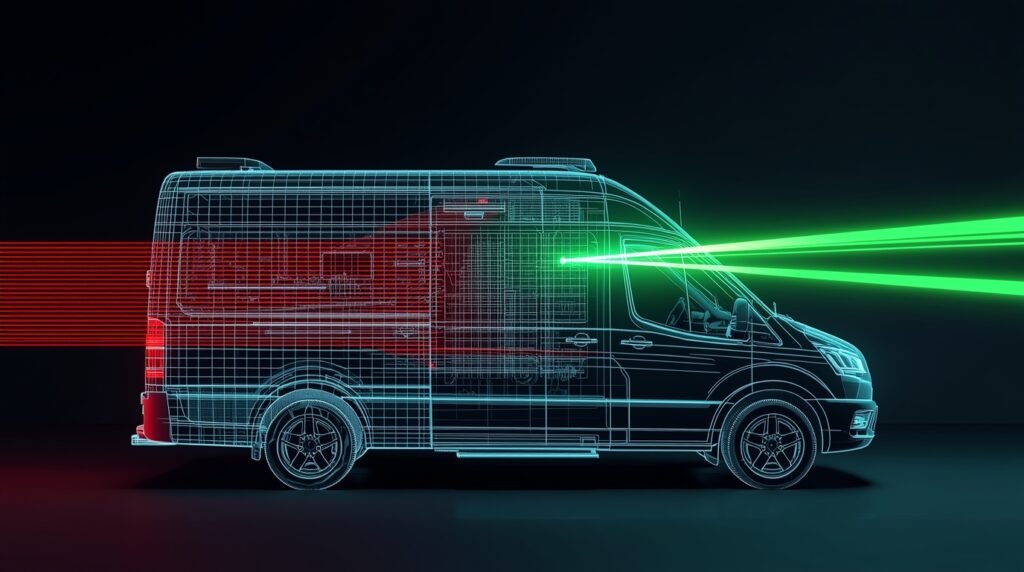
Most trucks and RVs are built with aluminum skins or steel frames. In the radio frequency (RF) world, we call this a Faraday Cage. It blocks electromagnetic fields. So, when you try to use a MiFi jetpack or your phone inside your rig, you are forcing that poor little device to scream through layers of metal just to reach a tower.
The Insider Fix: You need to move the point of reception outside the vehicle. This is non-negotiable. If you aren’t drilling a hole in your roof (or running a cable through a seal), you aren’t serious about vehicle connectivity systems.
Hardware: The Battle of Boosters vs. MIMO
This is where 90% of people get ripped off. They buy a “Cell Booster” because they see it at a truck stop or on Amazon with 5 stars.
The Problem with Boosters
Boosters (amplifiers) take a weak signal from outside, amplify it, and rebroadcast it inside. Sounds great, right?
- The Catch: They are “SISO” (Single Input, Single Output). Modern cellular networks use technology called MIMO (Multiple Input, Multiple Output) to send data faster.
- The Verdict: Boosters often kill your data speeds because they break that MIMO connection. They give you more “bars” (which are meaningless) but slower data. I only recommend boosters for voice calls in extremely remote areas where you have zero usable signal.
The Expert Solution: Cellular Routers & MIMO Antennas
If you want legitimate RV internet solutions, you need a dedicated cellular router (like a Peplink or Cradlepoint) connected to a roof-mounted MIMO antenna.
Why this wins:
- Direct Connection: The antenna grabs the signal outside and pipes it directly to the modem via a cable. No rebroadcasting.
- Multiple Lanes: A 2×2 or 4×4 MIMO antenna is like opening a 4-lane highway for your data, whereas a booster is a single-lane dirt road.
- Carrier Aggregation: High-end routers can talk to multiple bands on a cell tower simultaneously. It’s like having three straws in the milkshake instead of one.
Choosing Your Gear: The Tiered Breakdown
I know everyone has a different budget. To help you navigate the confusing world of specs, I’ve broken down the top three routers I currently recommend.
I call these the “Three Tiers of Connectivity.” Whether you are a weekend warrior or running a mobile trading floor, one of these fits your life.
| Feature | Tier 1: The “Gateway Drug” | Tier 2: The “Daily Driver” | Tier 3: The “Nuclear Option” |
|---|---|---|---|
| Model | Peplink MAX BR1 Mini 5G | Peplink MAX BR1 Pro 5G | Peplink MAX BR2 Pro |
| Best For… | Weekend warriors & budget-conscious pros. | Full-time nomads & remote workers. | High-stakes traders, creators & “must-be-online” jobs. |
| Approx. Price | ~$549 | ~$999 | ~$2,899 |
| Modem Type | Single 5G (Cat 20/X62) | Single 5G (Cat 20/X62 or X65) | Dual 5G (2x Active Modems) |
| Throughput | 300 Mbps (Capped) | 1 Gbps (Unleashed) | 1 Gbps+ (Bonded) |
| Wi-Fi Tech | Wi-Fi 5 (Old Standard) | Wi-Fi 6 (Faster, handles more devices) | Wi-Fi 6 (Enterprise Grade) |
| SIM Slots | 2 (Use 1 at a time) | 2 (Use 1 at a time) | 4 (Use 2 at a time) |
| Starlink Integration | Basic (Failover only) | Advanced (Seamless Bonding) | Advanced (Seamless Bonding + 2 Cellulars) |
| My Verdict | “It works, but don’t expect to run a server on it. Great entry point.” | “The Gold Standard. If you can afford it, skip the Mini and buy this.” | “Overkill for 99% of people. But if you lose $500 for every hour you’re offline, this pays for itself.” |
My Take on the Market:
- Tier 1: The BR1 Mini 5G is solid, but notice the 300 Mbps throughput cap. Even if the tower offers 600 Mbps, this router’s CPU will choke the speed down. It’s fine for email, but it lacks Wi-Fi 6.
- Tier 2: The BR1 Pro 5G is where the magic happens. The CPU is powerful enough to handle Starlink and 5G simultaneously (bonding) without breaking a sweat. It is the “Buy Once, Cry Once” choice for serious truck wifi systems.
- Tier 3: The BR2 Pro allows you to use Verizon and T-Mobile simultaneously (not just one as backup). If Verizon drops a packet, T-Mobile picks it up instantly. You won’t even notice the glitch on your Zoom call.
Starlink: The Elephant in the Room

I can’t write about internet on the road without addressing the flat-faced dish from Elon.
Starlink has changed the game, absolutely. But is it the only thing you need? IMO, no.
Here is the reality check most fanboys won’t give you:
- Trees are the Enemy: If you love camping in the forest, Starlink is a paperweight. Even a single branch can cause micro-dropouts that kill Zoom calls.
- Power Hungry: Leaving a Starlink dish running on 12V DC power (even with a conversion kit) chews through battery banks faster than a microwave.
- Latency: It’s better than old satellite internet, but it still lags behind a crisp 5G connection for things like real-time voice calls.
My Strategy: Use Starlink as your “Plan B” for the middle of nowhere. Use 4G/5G cellular as your daily driver for reliability and lower power consumption.
The Data Plan Hustle: Don’t Get Throttled
You can have a $2,000 router setup, but if you stick a cheap prepaid SIM card in it, you’re going to have a bad time.
Carriers play dirty. They have three tiers of data:
- Premium Data: You are the VIP. You get the speed first.
- Deprioritized Data: You get speed until the tower gets busy, then you get pushed to the back of the line.
- Throttled Data: You hit a cap (say, 20GB), and now you are stuck at 2G speeds (128kbps) until next month.
For robust mobile connectivity for rv setups, you need Premium Data.
- Avoid: “Unlimited” plans that hide a 22GB cap in the fine print.
- Look For: Business or “Enterprise” data plans. Resellers often sell these as “Grandfathered” plans. They are expensive, but they work.
Quick Rant: Do not buy those pre-loaded SIM cards from eBay that promise “Truly Unlimited Unthrottled Data for $30.” They are usually iPad plans hacked onto a hotspot. The carrier will shut you down eventually… usually right when you need Google Maps the most. 🙂
Installation Myths: Why Duct Tape Won’t Cut It

I’ve seen some horrors in my time. Antennas taped to windows. Cables smashed through door jams.
If you are installing vehicle connectivity systems, remember: Ground Planes matter.
Most antennas require a metal surface underneath them (a ground plane) to reflect the signal and shape the reception pattern properly.
- Trucks: You’re lucky. Your roof is metal. Stick the magnet mount on and you’re golden.
- RVs: You have a fiberglass or rubber roof. You must install a metal ground plane (a simple 12″x12″ steel sheet glued to the roof) under the antenna. Without it, your fancy antenna is operating at half capacity.
Also, keep your cable runs short. Coaxial cable loses signal over distance. If you run 30 feet of cable from your roof to your router, you might lose all the gain your antenna provided. Keep the router as close to the antenna as possible.
Conclusion: Stop Guessing, Start Connecting
Getting reliable internet on the road isn’t magic; it’s just physics and gear. Don’t rely on campground Wi-Fi (it is universally terrible), and stop hoping your phone hotspot will save you during a Zoom presentation.
If you take one thing away from this, let it be this: Get an external MIMO antenna. It is the single biggest upgrade you can make for internet on the road.
The road is calling, and now you don’t have to ghost your boss to answer it.
As an Amazon Associate, I earn from qualifying purchases.


One Comment