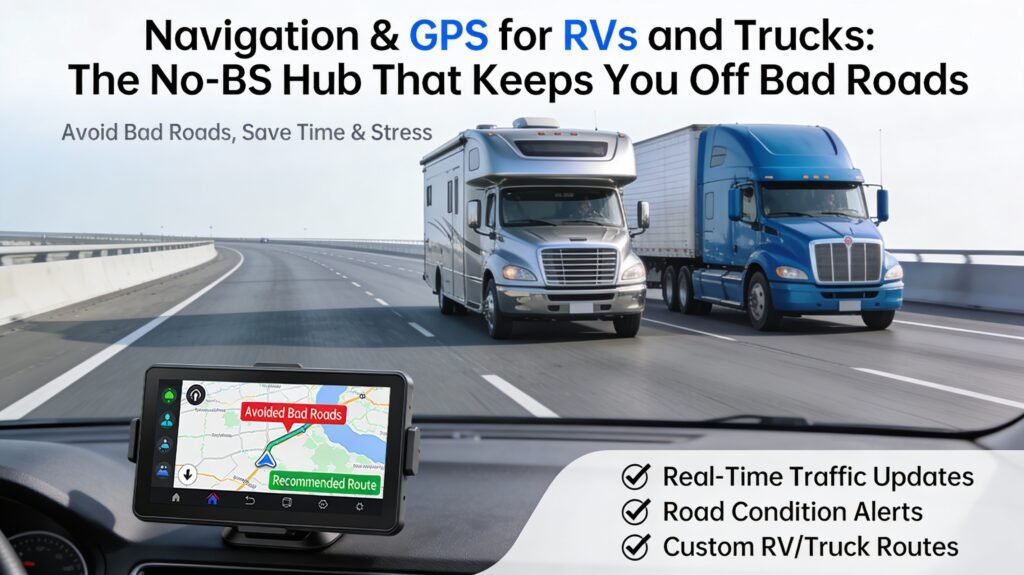
Navigation & GPS for RVs and Trucks: The No-BS Hub That Keeps You Off Bad Roads
Navigation is not “how do I get there.” Navigation is how do I get there without breaking something expensive, getting stuck, or discovering a low bridge the hard way. If you drive an RV or a truck, your route has constraints. Your phone’s default map does not care. That’s the whole problem.
This hub is the master playbook for RV and truck navigation: picking the right GPS, setting it up correctly, building safer routes, verifying hazards, and running a repeatable workflow that reduces risk and stress. No fairy dust. No “just wing it.” Just a system you can reuse on every trip.
What this hub will do for you:
- Help you choose between phone maps, RV GPS, and truck GPS (without buying twice)
- Show you how to configure routing so height/weight/length constraints actually matter
- Give you a pre-trip workflow that prevents surprise bridges, scary grades, and tight urban nonsense
- Teach you how to cross-check routes so one bad data point doesn’t ruin your day
Quick Start: choose your situation and jump to the right section.
- I just want the “what should I use” answer
- I need to set up my RV/truck profile correctly
- Give me the pre-trip route workflow (step-by-step)
- I want the “low bridge / bad road” risk checks
- Help me buy the right GPS screen size and type
Table of Contents
- 1) Quick Answer: What Actually Works
- 2) Your Next Reads (Internal Guides on Your Site)
- 3) The Navigation Model: Map Data → Routing Rules → Reality
- 4) Your Rig Profile: Height, Weight, Length, and the “Wrong Number” Tax
- 5) Phone vs RV GPS vs Truck GPS: What Each Does Well (and Where It Lies)
- 6) The Pre-Trip Route Workflow: Plan Like a Pro
- 7) Risk Checks: Low Bridges, Weight Limits, Narrow Roads, and “Surprise Urban”
- 8) Grades, Wind, Weather, and Time-of-Day: Route Risk Isn’t Just Geometry
- 9) Screens & Mounting: Your GPS Is Useless If You Can’t Read It Safely
- 10) Map Updates & Data Quality: Why “Latest Maps” Still Miss Stuff
- 11) Redundancy: How to Cross-Check a Route Without Overthinking
- 12) RV-First Guidance (with Truck Notes Where It Matters)
- 13) Troubleshooting: When Your GPS Sends You Somewhere Stupid
- 14) Buyer Guide: What to Spend On vs Where to Save
- 15) FAQ: Navigation & GPS
- 16) Authority References (Real Sources)
1) Quick Answer: What Actually Works
If you drive a normal car, phone maps are usually “good enough.” If you drive an RV or a truck, the risk profile changes. The winning setup for most RVers is:
- Primary: a dedicated RV/truck-capable GPS (or a navigation system that supports vehicle profiles and restriction-aware routing)
- Secondary: phone maps for traffic awareness, quick POI searches, and alternate routes
- Process: pre-trip route planning + in-route verification (signs and local restrictions always win)
Here’s the blunt truth: you don’t want one navigation tool. You want a small, reliable stack where each tool covers the other’s blind spots. That’s how you reduce risk and stress.
If you’re buying a dedicated unit, your most profitable decision is picking a screen size you can actually use while driving. This internal guide handles that decision cleanly: Garmin dēzl OTR720 vs OTR820 vs OTR1020: Which Size Do You Actually Need?
2) Your Next Reads (Internal Guides on Your Site)
This hub is the “command center.” These pages are your execution modules (send readers here when they want specifics):
- Start here for the big decision: Guide to Best RV GPS (Stop Trusting Phone Maps Blindly)
- Route safety mindset + strategy: Safe RV Routes: Route Safer, Drive Smarter
- Screen size + usability decision: Garmin dēzl OTR720 vs OTR820 vs OTR1020
If you also want to keep installs clean and safe (power wiring, mounts, visibility), this “install discipline” guide supports navigation gear upgrades too: RV DIY & Installation Guides for Safe, Clean Upgrades
3) The Navigation Model: Map Data → Routing Rules → Reality
Navigation failures are predictable if you understand the model.
Every navigation tool is a combination of:
- Map data (roads, turns, speed limits, restrictions, bridge data, etc.)
- Routing rules (what the software prioritizes: fastest, shortest, avoid tolls, avoid ferries, etc.)
- Your vehicle profile (height/weight/length/hazmat—if supported)
- Real-world constraints (temporary closures, construction, local truck bans, signage overrides)
The failure pattern is usually one of these:
- Data gap: the map doesn’t know about a restriction (or it’s outdated)
- Rule mismatch: the route is optimized for cars, not your vehicle
- Profile error: your height/weight/length is wrong (or never entered)
- Reality override: the road is technically legal but practically stupid for your rig
Strategy: don’t look for “perfect data.” Build a workflow that assumes data will be imperfect and still keeps you safe.
4) Your Rig Profile: Height, Weight, Length, and the “Wrong Number” Tax
This is where most people sabotage themselves. They buy a “truck GPS,” then they never enter the real dimensions, then they act shocked when it routes like a car.
Step 1: Measure your actual height
Do not rely on brochure height. Brochure height doesn’t know about roof upgrades, AC replacements, solar panels, racks, satellite domes, or your “I added this one small thing” collection.
Practical method: measure on level ground, loaded how you travel, including roof accessories. Then add a small safety buffer.
Step 2: Know your weight reality
For RVs, weight issues show up as:
- restricted bridges or roads that can’t handle heavy vehicles
- grades that become unsafe or stressful when overloaded
- brake performance that degrades when you pretend payload doesn’t exist
If you tow, your “real-world length” changes. And some routes become dramatically worse when you’re towing. Don’t plan like a short vehicle when you’re long.
Step 3: Choose your routing priorities (on purpose)
Fastest route is not always safest. “Shortest” is often a trap that sends you through tight towns and nonsense backroads.
Default recommendation for RVers: avoid shortest routes unless you love stress. Optimize for safer roads, predictable turns, and fewer surprises.
5) Phone vs RV GPS vs Truck GPS: What Each Does Well (and Where It Lies)
You don’t have to be a gadget hoarder. You just need the right tool for the job.
Phone maps (Google/Apple/Waze-style)
Strengths:
- best-in-class traffic awareness in many areas
- fast POI search (“find fuel near me”)
- constant connectivity and quick rerouting
Weaknesses for RVs/trucks:
- not inherently restriction-aware for large vehicles
- can route you onto roads that are legal for cars but stupid for you
- may not surface clearance/weight/turn constraints reliably
Bottom line: phone maps are a great co-pilot. They’re a risky captain for large vehicles.
Dedicated RV GPS
Strengths:
- vehicle profile routing (height/weight/length) on many models
- clearer driver-focused UI and guidance
- often better at “big vehicle logic” than phone maps
Weaknesses:
- map update cycles can lag real-world changes
- POI databases can be weaker than phones
- setup matters: a misconfigured profile ruins the value
Truck GPS (commercial routing)
Strengths:
- built for restrictions, truck routes, and professional use cases
- often better about low clearances and truck restrictions
- designed for high-visibility screens and quick interaction
Weaknesses for RVers:
- some truck-specific features don’t matter to RVs
- you still must enter accurate profile data
If you’re deciding which category fits you, your internal guide lays it out without fluff: Guide to Best RV GPS (Stop Trusting Phone Maps Blindly)
6) The Pre-Trip Route Workflow: Plan Like a Pro
This workflow is how you stop “discovering surprises” with 10,000+ pounds of vehicle.
Workflow Overview
- Define the mission: Are you optimizing for speed, safety, scenic, fuel efficiency, or stress reduction?
- Build the primary route in your restriction-aware GPS/app using your real vehicle profile.
- Cross-check with a second source (phone maps or alternate planning tool) for traffic and practical sanity.
- Run risk checks (clearance, weight, narrow roads, steep grades, urban traps).
- Lock your key stops (fuel, rest breaks, dump stations, overnight parking, campground check-in windows).
- Save offline contingencies for known dead zones or mountain areas.
1) Define your mission (it changes the route)
If you’re towing, your mission should bias toward:
- fewer tight turns
- fewer small-town shortcuts
- more predictable highway segments
If you’re in a large Class A, your mission should bias toward:
- avoiding low clearance corridors and older city centers
- avoiding narrow roads with bad shoulders
- prioritizing routes with easier recovery options
2) Build the route using a real vehicle profile
Enter dimensions. Enter weight. Enter towing configuration. If you skip this, you aren’t “planning.” You’re guessing with a nicer screen.
3) Cross-check the route for practicality
Even restriction-aware tools can miss local realities. Cross-check for:
- construction clusters
- known bottlenecks near city cores
- routes that look legal but behave like a stress test
4) Run your risk checks (the non-negotiables)
This is where you prevent the expensive mistakes. The next section gives you a checklist that catches most disasters.
7) Risk Checks: Low Bridges, Weight Limits, Narrow Roads, and “Surprise Urban”
This section is why this hub exists. These checks turn “hope-based routing” into an operational system.
Low clearance: the #1 nightmare
Low clearance incidents are usually not caused by bad luck. They’re caused by:
- not knowing your true height
- blindly following car routes
- not verifying signage when the environment looks wrong
- trusting one tool like it’s omniscient
Professional safety posture: route tools help, but signs and advisories always win. FMCSA explicitly advises drivers to obey traffic signs and advisories (including low bridge overpasses and weight limits) even if the GPS says otherwise. That guidance is for commercial drivers, but the principle applies to RVers too because physics doesn’t care what you’re driving. (Link in the authority section below.)
Weight restrictions and fragile roads
Many “shortcuts” rely on roads that were never designed for heavy vehicles. Even if you can physically fit, you may be:
- legally restricted
- at risk of getting stuck on weak shoulders
- forced into a recovery scenario in a bad place
Narrow roads, tight turns, and no shoulders
These routes can be technically legal but operationally stupid. Your risk increases when:
- lanes are narrow with zero margin
- turn radii are tight (especially with a toad or trailer)
- there’s no shoulder to recover
- you’re forced into oncoming traffic on curves
Urban traps: “just one quick cut-through”
City centers and older neighborhoods can contain:
- low bridges
- weight-restricted streets
- tight turns boxed in by parked cars
- time-based restrictions (delivery windows, truck bans)
Default move: route around urban cores unless you have a specific reason to enter. This is the single easiest stress reduction tactic for large vehicles.
8) Grades, Wind, Weather, and Time-of-Day: Route Risk Isn’t Just Geometry
Navigation is not just “avoid low bridges.” It’s also “avoid situations where your rig becomes unstable, overheats, or becomes hard to control.”
Grades and mountain routes
Long grades punish:
- overloaded rigs
- weak braking discipline
- drivers who don’t plan descent strategy
Rule: if you can’t safely descend a route, you shouldn’t climb it in the first place.
Wind exposure
High-profile RVs are wind magnets. A “safe” route in calm weather can become exhausting or unsafe in crosswinds. If weather looks ugly:
- shift departure time
- choose routes with less exposure
- reduce speed and increase following distance
Night routing (the hidden risk multiplier)
At night you lose visual cues that help you judge turn tightness, shoulder quality, and signage clarity. If you can avoid complex routing at night, do it. If you can’t, run extra cross-checks and bias toward larger roads.
9) Screens & Mounting: Your GPS Is Useless If You Can’t Read It Safely
Navigation hardware should reduce cognitive load. Bad mounting increases it.
Screen size matters more than people admit
If your GPS screen is too small, you’ll squint, you’ll lean, and you’ll take your attention off the road. If it’s too big and blocks visibility, you’ll create a new problem.
Use this internal guide to pick a size that matches your driving environment and cockpit layout: Garmin dēzl OTR720 vs OTR820 vs OTR1020: Which Size Do You Actually Need?
Mounting principles (practical and safe)
- Place the screen close to your natural line-of-sight (without blocking the road)
- Minimize glare (angle matters)
- Secure it for vibration (vehicles shake; mounts fail)
- Plan power and cable routing cleanly (no spaghetti across the dash)
If you want the broader “clean install” approach for electronics and mounts, use: RV DIY & Installation Guides for Safe, Clean Upgrades
10) Map Updates & Data Quality: Why “Latest Maps” Still Miss Stuff
Even premium systems miss things. Why? Because road restrictions change and data pipelines lag.
Common reasons navigation data fails:
- construction detours and temporary restrictions
- local signage changes
- bridge maintenance and clearance adjustments
- truck bans and time-based restrictions
- data provider delays
Operational solution: update maps when available, but design your workflow so a single missed restriction doesn’t become a crisis.
11) Redundancy: How to Cross-Check a Route Without Overthinking
Redundancy is how professionals reduce risk. The trick is not turning it into analysis paralysis.
The “two-tool rule”
Use one restriction-aware tool as the primary route, then cross-check with one secondary tool for practicality and traffic. You’re looking for obvious mismatches:
- primary route avoids a corridor that the phone suggests (why?)
- primary route routes through weird backroads (why?)
- primary route enters a city core (do you really need to?)
Sanity checks that catch most disasters
- If a route suddenly gets “shorter” by going through a town, be suspicious
- If you’re routed onto older local roads near rail bridges, be suspicious
- If your route includes many rapid turns in dense areas, be suspicious
This isn’t paranoia. It’s risk management.
12) RV-First Guidance (with Truck Notes Where It Matters)
RV navigation and truck navigation overlap, but your constraints differ.
RV-first priorities
- Clearance (roof accessories make you taller than you think)
- Length + turning (especially towing)
- Access practicality (fuel stops and parking that can actually fit you)
- Stress minimization (fewer tight environments beats “5 minutes faster”)
Truck-only priorities (still worth understanding)
- hazmat restrictions (commercial-specific)
- truck route compliance
- commercial enforcement corridors
The smart RV play is borrowing the commercial mindset: build the route with constraints, then verify in the real world. Your safe routing guide supports that strategy: Safe RV Routes: Route Safer, Drive Smarter
13) Troubleshooting: When Your GPS Sends You Somewhere Stupid
It happens. Here’s how to respond without escalating the problem.
1) Don’t commit to a bad turn just because the GPS “insists”
If the road looks wrong for your rig, trust your eyes. Pull off safely, re-route, and verify. The cost of being “wrong” is usually minutes. The cost of being “right” on a bad route can be hours, damage, or a recovery call.
2) Check your vehicle profile first
Wrong height/weight/length creates wrong routing. Fix the input before blaming the tool.
3) Switch routing mode (fastest vs safest)
Some tools default to faster routes. If you need safer roads, choose safer routing profiles, avoid shortest routes, and set avoidance preferences strategically.
4) Use the “avoid area” tool aggressively
If you’ve identified a known-bad corridor (low clearance, tight city grid, unsafe grades), block it. Train your navigation tool around your risk profile.
5) Build a “known-good” template route pattern
If you routinely travel between regions, save routes and preferences. Operational consistency beats daily improvisation.
14) Buyer Guide: What to Spend On vs Where to Save
If your goal is fewer mistakes and more confidence, here’s the spending hierarchy.
Spend money here (high leverage)
- Restriction-aware navigation capability (vehicle profiles and routing)
- Screen readability (size + clarity you can safely use)
- Mounting quality (secure, low-glare, safe positioning)
Be strategic here (good-enough is fine)
- extra accessories (cases, “premium” cables) — buy what you actually need
- audio integration — nice, but not the core value driver
Where people waste money
- using only phone maps and “hoping it’s fine”
- buying a dedicated GPS but never entering a vehicle profile
- buying the wrong screen size and then not using it consistently
- treating “shortest route” like it’s a clever hack
For the most common “what size should I buy” decision, again: OTR720 vs OTR820 vs OTR1020
15) FAQ: Navigation & GPS
Is an RV GPS worth it if I already have a phone?
If you drive a large rig and care about avoiding low clearances and restriction traps, yes—because phone maps are optimized for cars and convenience, not for your vehicle constraints.
What’s the biggest mistake RVers make with navigation?
Not measuring real height, not entering it anywhere, and trusting “fastest route” through old urban areas and backroads.
Do I still need to watch for signs if I use a truck GPS?
Absolutely. Signs and advisories override navigation tools. Use the tool to reduce risk, not to outsource judgment.
How do I reduce “last second lane change” stress?
Use a larger readable screen, mount it correctly, and enable earlier lane guidance. Pre-plan complex interchanges and avoid entering city cores when you don’t need to.
16) Authority References (Real Sources)
- FMCSA: Tips for the safe use of GPS navigation systems
- FHWA: Design standards (includes vertical clearance references)
- FHWA: Vertical clearance context on the Interstate System
Bottom line: The goal isn’t “a GPS.” The goal is a repeatable navigation system that respects your rig’s constraints, cross-checks reality, and keeps you out of the expensive mistakes. If you build the workflow once, you stop relearning the same lessons on every trip.